
10 Best Gaming Monitors in India 2021 (Asus, Acer, and more)
You invested yourself in building a CPU with the best motherboard, adequate ram, worthy graphic card, and to cool it all cooling system. Searching pages and videos to build the best of the system possible and now remains the cherry on top, the monitor; the defining component of how beautiful your hard work to build the best system is going to look like playing games.
Though it comes at last, it is what matters. Searching and scanning multiple resources, we have assembled a buying guide for you so that your last step doesn’t get wrong. Spending wisely and judiciously is the aim; your pocket doesn’t burn, and you get what it is worth for.

mybest editing team consists of experienced members who have backgrounds in writing, editing, translation, and more. We are dedicated to researching what makes a product or service the best to users in India in order to create top-quality articles. From skincare, to kitchen appliances, and to DIY supplies, our mission is to find the best ones for you.
How to Choose a Gaming Monitor in India - Buying Guide
We have finalised a guide which will give you quick pointers to look for before buying a gaming monitor. So, scroll down and have a look!
Know the Right Balance Between Screen Size and Resolution
The ideal screen size depends on the distance between you and your screen. The most common screen sizes are 24inch, 27inch and 32inch. Each size has a specific resolution which balances picture quality and value for money.
Get the Preferrable Screen Size

24inch sizes monitors are widely popular as well, and the majority of gamers have a 24inch monitor as it is loaded with features and in the budget as well. 30inches or bigger is enthusiast-level screen size. With huge room to play and multitask on, it offers an enjoyable and immersive experience. However, they come with a pricier tag.
Apt Resolution for Different Size

Due to its small size, you won't notice much difference between 2k and 4k and spending extra money is not worth it if you cannot experience what you paid for. 27-inch monitors are ideal for 2K and 4k size, owing to their adequate screen space and viewing distance.
Although some monitors at this size are Full HD as well. For 32inches and larger size, Full HD is not preferrable and opt for 2K or go for 4K. You can go for Wide Full HD specification as some manufacturers have optimised scaling for wider screens at 1080p.
Go With the Design That’s Comfortable for Eyes
There's a variety of designs available currently in the market precisely flat and curved display. The curved display is further of two kinds ultra-widescreen and widescreen monitors. It is varying across aspect ratio and sizes. Let's break it down into section to ease selecting the right one.
Ultrawide Curved Screen Monitors Come With 21:9 Aspect Ratio
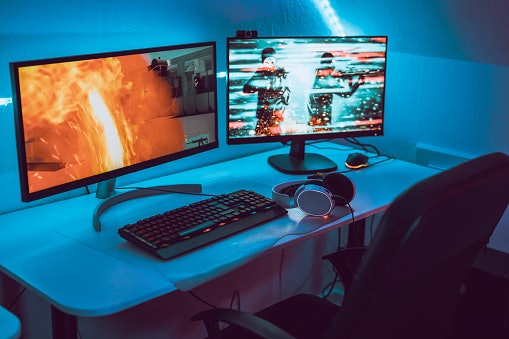
Ultrawide monitors are exclusively available in sizes 30inches and above. One of the points to note is not all gaming titles support Ultrawide screen, so do check for the gaming title you are looking to play majorly on your PC.
Widescreen Curved Screen Monitors Come With 16:9 Aspect Ratio

Curved Monitors are expensive compared to flat screen ones. There are fewer models on offer by different manufacturers that are budget-friendly. With changing times, companies are pushing further for curved monitors with increasing positive response. With curve monitors, you have to keep one thing in mind. If you do buy a curved monitor, understand curvature specs.
Different curvature screens vary from 1800R to 3000R. A 1800R curvature means a curved radius of 1800mm and a suggested viewing distance of 1.8 meters, and similarly, for other curvature screens, their curvature radius is equivalent to their viewing distance. The lower the curvature, the more curved the display is.
All Time Standard Flat Screen Monitors
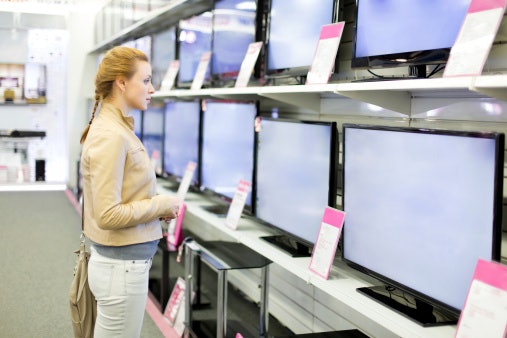
Individual curved monitors come only in some specific sizes and resolutions. Flat-screen monitors are available across all available sizes. All manufacturers have flagship as well as basic monitors as a flat-screen as they are well established and adopted
Understand the Basics of Refresh Rate

120hz, 144hz and some monitors with up to 240hz are available in the market. Higher refresh rate ensures a smooth picture and transition during gameplay. RPG(Role Playing Games) and FPS(First Person Shooting) games require higher refresh rate for smooth and detailed gameplay.
Do make sure your graphic card is capable of handling a higher frame rate of which monitor can take advantage. Example Your monitor supports 240Hz, and your graphic card can only do 120fps, then monitor will run at 120Hz.
Choose between IPS, TN, and VA Display Panels

TN (Twisted Nematic) panels are the most common and mass-produced panels. It is widely used for gaming monitors. It is known for its lowest response time and lowers costs. TN panels don't offer great colours and are not fit for photo editing or graphics; they are suitable for competitive gaming. They also don't provide good viewing angles. In the lower budget, TN panels are a dominant choice.
VA (Vertical Alignment) panels fall between IPS and TN panels. They offer much better colours than TN but not better than IPS. VA panels offer excellent contrast ratios than IPS panels, specified in ratios like 1000:1, 3000:1etc.
It means that the brightness of a completely white image is 1000 times (for 1000:1) greater than the brightness of a completely black image. They are ideal for general use and casual to fair gaming, but they are not a preferable choice for competitive gaming.
Reduce Image Tearing With G-sync or Freesync

G-sync is a product of Nvidia and Freesync is of AMD. They both require their specific dedicated graphics cards to work. Gaming Monitors come with a particular mention about whether they support either of the two.
Although with recent change Nvidia has made specific AMD Freesync monitors compatible with its G-sync tech. Check your graphic card before buying one of these two tech-laden monitors.
Response Time Matters for Fast Paced and FPS Gaming

If you're a competitive gamer or in fast-paced games, response time is a crucial aspect. The faster you're able to reach the better the gameplay. Although almost all new models have under 5ms response time, even IPS panel which is known for higher response time is catching up and is well below 5ms.
So for ones looking for every possible competitive edge, a low refresh rate between 1 and 5 milliseconds is worth buying.
Check for Certain Ports

Look out for HDMI ports, Display Port 1.4, Audio jack 3.5mm and USB Ports. Display port 1.4 is essential to touch higher refresh rates with the graphic card in the system. Display port 1.4 is superior to HDMI in picture quality, and high refresh rate. Presence of USB ports helps in freeing up ports on CPU and attach additional devices directly with the monitor.
10 Best Gaming Monitors in India
| Products | Image | Click to purchase | Popularity | |
|---|---|---|---|---|
1 | 27GL850 27-inch, Nano IPS LG |  | No.1 | |
2 | Predator X34 Pbmiphzx 34-inch UltraWide Acer |  | No.2 | |
3 | 24-inch Curved Gaming Monitor LC24RG50FQWXXL Samsung |  | No.3 | |
4 | Predator XB-271HU Acer |  | No.4 | |
5 | Ultragear 32-inch QHD LG |  | No.5 | |
6 | 27-inch Full HD Nvidia G-SYNC Compatible Esports Gaming Monitor ASUS |  | No.6 | |
7 | Ultragear 34-inch Curved Ultrawide LG |  | No.7 | |
8 | Ultragear 27" 27GN750 LG |  | No.8 | |
9 | 27GL650F Ultragear 27-inch IPS FHD LG |  | No.9 | |
10 | Ultragear 24 inch 144Hz LG |  | No.10 |


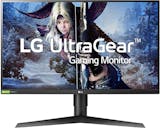
One of our top choice for the top 3 gaming monitors. LG with this UltraGear series monitor have really created a gamers delight . It is equipped with vibrant quad HD display and with the new Nano IPS tech, LG has managed to lower response time even further for IPS panels at par with TN panels. With a high refresh rate of 144Hz, and Nvidia G sync compatible, gaming is smooth and consistent.
Many users have commended the monitor for its uniform color quality and sturdy build. Owing to its IPS build it has great viewing angles. It is a preferable choice for moderate to high gaming.
AcerPredator X34 Pbmiphzx 34-inch UltraWide

Acer predator series is a gaming enthusiast special product line. With Predator ultrawide, they have gone the full mile to provide an best gaming experience. The curvature of 1900R makes display feel vivid and more immersive during play. With a sturdy bezel-less design and quad HD display, your gaming station feels complete and perfect fit with it.
It is made for the serious gaming experience. With a low response time of 4ms and 120Hz refresh rate, FPS and fast-paced games are a pleasure on this monster. The colors are vivid and punchy. Loaded with G sync compatibility and all necessary ports. It is one of the best investment to complete your gaming station with Ultrawide level of goodness.
Samsung24-inch Curved Gaming Monitor LC24RG50FQWXXL

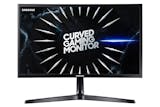
Samsung's new curved monitor is one of the best gaming monitors for 24inch segment. Amongst a very few in this range, it bring curved screen gaming experience to 24-inch gaming segment. The screen has a curve of 1800R which is comfortable for eyes and enhance gaming experience further notches up than flat screen monitors.
Owing to its Full HD VA panel, it has a great contrasting ratio and low response times up to 4ms. With a refresh rate of 144Hz, smooth gaming is a breeze. It is one of top considerable choice for 24inch gaming experience. Gamers who have this monitor do commend on the difference in their gameplay than before, how it enhanced a further with the details and speed.

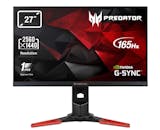
Sibling of Predator Ultrawide, Predator XB-27 is a sweet deal for intense gaming experience loaded with features on a 27-inch screen. It sits on a sturdy design which adds more sturdy and game-rogue feel to it. It has received a great positive response from users for its display and gaming experience.
Though an IPS panel, Predator XB-27 offers response time at par with TN panels up to 1ms. The colors are consistent and vivid making it great for watching movies and pictures apart from gaming. Nvidia G-Sync anti-tearing technology loaded with quad HD display and refresh rate of 144Hz (with overclock support up to 166Hz), it is one of the best gaming monitor for your battle-station on the desk

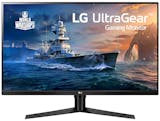
You don't want to miss out on gaming experience neither on having a big screen for multitasking and vivid gaming UltraGear 32-inch Quad HD is the perfect fit. It has a VA panel which is best known for its excellent contrast ratios. One for the biggest plus is the price; With its economical price compared to other monitors double its price with this size, it is a sweet deal without missing out on the plus of both the worlds.
With excellent 1ms response time and refresh rate up to 144Hz gaming experience is smooth and enjoyable. It is loaded with AMD freesync as well for image-tear free gaming. The monitor has received many good reviews from gamers. For casual gaming and fun on the big screen, it is a match.
ASUS27-inch Full HD Nvidia G-SYNC Compatible Esports Gaming Monitor
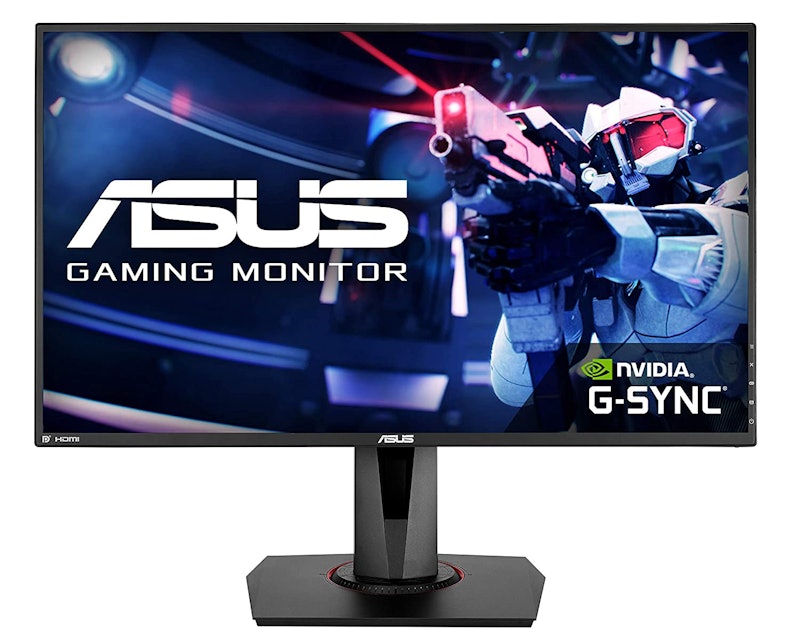
Although many monitors have moved onto higher resolution with 27 inches, ASUS has worked to make the current resolution more enjoyable and advance the technology with new enhancements and features. It is one of the monitors with the lowest response time of 0.5ms. The display sports a Full HD TN panel with a near bezel-less design.
It is one of the best choices for professional gamers, with refresh rates up to 165Hz, high definition display and amongst a few monitors that are compatible with both Freesync and Gsync altogether, it is the best deal for professional and competitive gaming.

With Ultragear 34inch ultrawide, LG has gone to the extent to provide an ultrawide gaming experience at a budget. Ultrawide monitors cost upwards of Rs75000 and above, but with this monitor, LG has equipped an option for gamers to have a immersive experience at a lower price.
The monitor is equipped with Wide Full HD and IPS panel for resolution and colours. The resolution has been altered to not make screen look pixelated. The G-sync compatibility and a refresh rate of 144Hz makes the gaming experience immersive and smooth. Owing to its IPS panel it is good for watching movies and multitasking.
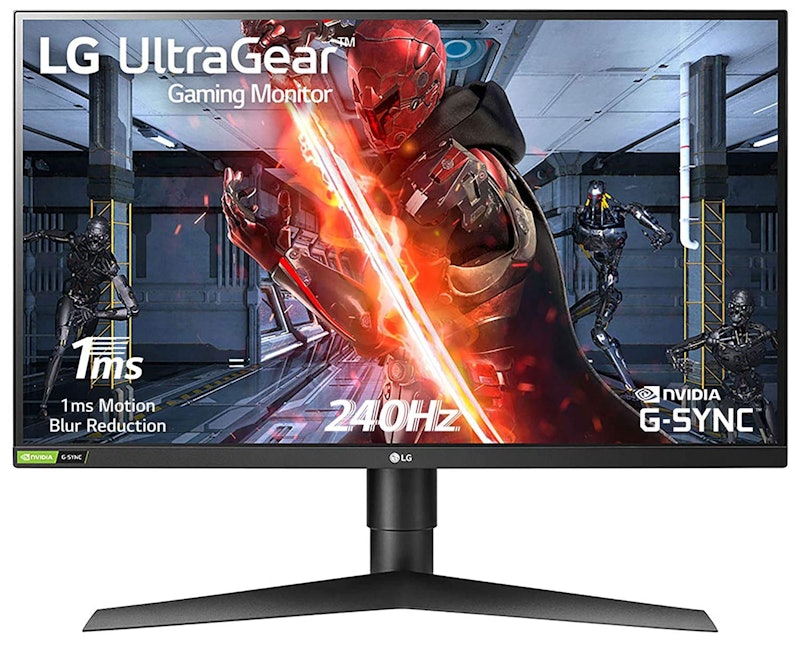
This monitor stands out amongst the crowd owing to its high refresh rate of up to 240Hz. Maximum monitors support a refresh rate of up to 144hz, but LG hit out of the ballpark with a higher refresh rate in this price range.
Full HD display bundled with G sync offers an image tear-free and rich game experience. FPS and fast-paced games are great to play on this monitor. If you're looking for good-level gaming, 240Hz refresh rate smooth gameplay and good colours and at this price, it is an optimal buy.

This monitor offers 27inch gaming experience at a budget price. In this price range majority of monitors are 24inch, but with this monitor, gamers have a good choice to upgrade and enjoy more screen space at similar price loaded with features.
At 144Hz refresh rate and response time of 1ms, things get better further with G sync for smooth and fast gameplay. Colour reproduction is nice owing to its IPS panel.

Ultragear 24inch is made for the budget gamers, looking for best of gaming experience in a small budget. With TN panel response times are best, and higher refresh rate ensures smooth gameplay.
The monitor is equipped with AMD Freesync for image-tear free gameplay. It has Full HD and has an all-black design. The product has good response from its buyers on e-commerce sites.
Do You Have More Tech Preferences?

The list is comprehensive for gaming monitors. Check our different articles where we have put in our best to prepare a buying guide for your tech preferences.


Summary
Buying a monitor available amongst a plethora of choices is a time involving task, and it's possible to end up with a model not exactly as you wanted. As a smart consumer, know what you want before you buy and spend time reading specifications and reviews on youtube videos and tech review sites. Let this cherry on top be fruitful to enjoy the whole system you have built.
Author - Dhruv Manchanda
The descriptions of each product are referenced from content available on manufacturer, brand, and e-commerce sites.