

10 Best Calculators in India 2023 - Buying Guide Reviewed By Electronics Engineer
This article will discuss the specifications you should keep in mind while choosing a calculator. It is aimed at general users for basic bookkeeping, numerical problems, managing taxes, and other household or school tasks. In the latter half of the article, we will provide a list of the top 10 best calculators you can buy online in India. This article has been reviewed by an electronic engineer, Saksham Harjani, so keep reading for an expert’s advice.

Saksham is an electronics and communication engineering graduate with a keen interest in dissecting electronic items and figuring out their workings. In his college life, he was a part of some interesting projects, be it working on microcontrollers or electrical wirings of a prototype car.

mybest editing team consists of experienced members who have backgrounds in writing, editing, translation, and more. We are dedicated to researching what makes a product or service the best to users in India in order to create top-quality articles. From skincare, to kitchen appliances, and to DIY supplies, our mission is to find the best ones for you.
The expert oversees the Buying Guide only, and does not determine the products and services featured.
How to Choose a Calculator in India - Buying Guide
Calculator Varies as per Your Purpose

There are different calculators available, varying from a standard calculator to a financial calculator with complex operations. If you're looking for a calculator for basic arithmetic operations like addition, subtraction, a standard calculator shall be optimal.
A scientific calculator is much more suitable if you're looking for advanced calculations like trigonometric, logarithmic, or exponential operations. It is an apt choice for students in mathematics and scientific fields.
Then there are financial and graphing calculators - made for users looking to solve equations and plotting graphs; Functions like differential equations and histogram plots are doable. These calculators are programmable and come equipped with WiFi, so you can directly solve a math equation via the internet or download programs or apps.

If you are an engineering student, then owning a scientific calculator is the first and foremost thing you should do. Solving algebric equations, matrixes, and vectors, finding square roots, cube roots, and most other complex operations like calculus, statistical, and regression calculations, or dealing with complex numbers are just a few keys away with the help of a scientific calculator.
Basic calculators are great for solving simple equations with one or two variables, but scientific calculators allow you to input a problem with an order of operations. In scientific calculators, parentheses are included as an option, allowing you to solve more complex problems.
Select the Size Suitable for Your Requirement

One of the essential aspects is selecting the apt size for usage. There are pocket-size calculators that you can fit in your palm and store easily in your pocket. Then some desk-sized calculators provide a big numeric pad to handle and work on. There are the standard desktop size calculators, and there are extra-large.
If you're criteria of selection hinges on portability, look for a pocket-size calculator. They are easy to carry, but they are not suitable for speedy calculation because of the small keys. If you're looking for a calculator for fast calculation and portability is not a big criterion, desktop size calculators are much more preferable. The keys are more snappy, and the bigger display helps in working fast and efficiently.
A calculator with 16-18 cm is good enough to accommodate all the important functions and keys and offers a decent display. It is portable and lightweight too, which provides it an added advantage over big heavy calculators.
Look at the Key Size and Shape

So, for comfortable and error-free calculation, do focus on the gap between the keys. Examine the keypad and select accordingly. We recommend experimenting with different keypads and selecting the one that suits you best.
Though the key size is an important factor, people looking for scientific or graphing calculators might have to compromise a bit on this factor. Calculators with many keys and who can perform complex operations usually don't have bigger key sizes to accommodate all the keys.
Bigger Display for Big Calculations

For students and accountants, a display with at least ten digits visible on the calculator is suitable. It would not only enable them to work with large numbers but also give more accurate decimal values. The ideal recommendation is a 12-digit calculator for students and accountants.
There are custom made 14 digit calculators for big calculations available as well. Such calculators are desk oriented and huge in size. They are apt for fast calculations with big numbers.
A 12 digit display is good enough in most cases. There are some calculators which also offer a 10+2 digits display. 10+2 basically allows 10 digits for mantissa display and 2 digits for exponential display.
Modern calculators also allow a 2-line display and a useful replay function. The 2 line display would include the operation in the first line and the solution in the second line. All this helps to make mathematics easier to use and understand.
Ensure Sufficient Grip When Placed on Surface
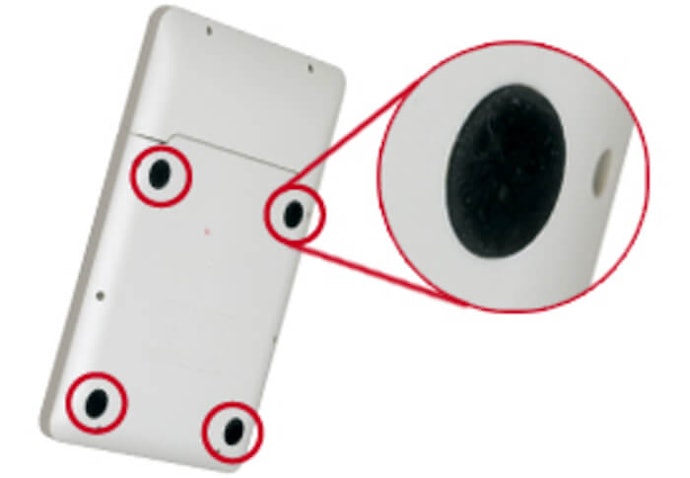
During an exam or when tallying a cost sheet or some important calculation, you don't want your calculator slipping and shifting while pressing the keys to check whether the numbers match or your calculation is correct.
Your calculator should be able to withstand the force used on keys during fast calculations. Make sure the calculator you select has a sturdy grip when placed on a surface. Many calculators also come with rubber grips at the back to prevent them from slipping or falling. It is a small but overlooked aspect; ensure you get it right.
Most calculator bodies are made out of plastics, and plastics have low coefficients of friction. So check out the calculator's grip and make sure it's not slippery and can stay intact on a surface. Rubber grips at the calculator's back are a great additional feature to have, but very few calculators offer that.
A Key Rollover Function Is Helpful for Acccurate Calculation

For example, when you're trying to solve a mathematic equation or tally a balance sheet with multiple additions and subtractions, you press 13+2-4 very fast; almost simultaneously, the calculator will pick it up in an exact way with the key rollover function.
This is an important function because you can't match speed with accuracy without it. If you’re someone who works really fast and your work involves multiple different operations like addition subtraction and more, we strongly recommend you check for this function.
Whether it's an exam or a job that requires you to be quick, speed is almost non-negotiable in such cases. A key rollover function is highly beneficial, and it makes sure that no data is lost while you are providing high-speed inputs to the calculator.
You probably won't need an N-key rollover that can interpret the input from as many keys you can press at the same time, but at least 2 key rollover function would be great, which can register input from both the keys you press simultaneously.
Other Useful Functions to Look for
There are multiple functions available in a calculator apart from the essential functions some of which add convenience and enhances accuracy and a better experience.
A GT Key Helps in Easing Big Calculations

There are some other useful features which you may want in your calculator too. A GT key, the grand total key, would help calculate the sum of all previous results. It helps you enhance time efficiency, adding all the results at the end with a button press.
For example, you calculated 1500+500=2000 and later another calculation 2560-520=2040. Instead of putting numbers again for addition between 2000 and 2040, you can press the GT key, and the calculator will bring up the number from internal memory and give the total.
The function of an MR key is very similar to the GT key. Both of them are used for recalling the current memory register value. So if you don't have a GT key on your calculator, then all you would have to do is use the MR key in combination with M+/M- keys which are used to add or subtract the current value to (or from) the stored value in the memory register.
Before starting the calculation, press the MC key, which clears the memory register. Now suppose your first operation gives a value of 90, and you press M+, and your second operation gives a value of 80, and then you press M+ again. Now, if you press MR, then you would get a value of 170(90+80).
Tilting or Folding Screen for Better Visibility

Certain calculators instead provide a fixed display at a titled angle. These calculators are also convenient to use but don't offer equivalent customization.
An adjustable tilting screen is also beneficial when the battery is low and the LCD starts to fade at a flat angle. The Liquid Crystals (LCs) used in digital calculators are of the 'twisted nematic' type controlled using a passive matrix of electrodes.
For the calculator to work, the twisted LCs need to 'uncoil' (to change the polarization of light). When available power is low, the crystals do not uncoil to the extent that they uncoil when the available power is sufficient. So when you tilt the calculator, you are looking at the strongest component of the polarized light.
Calculators With Solar Cells for Alternate Energy
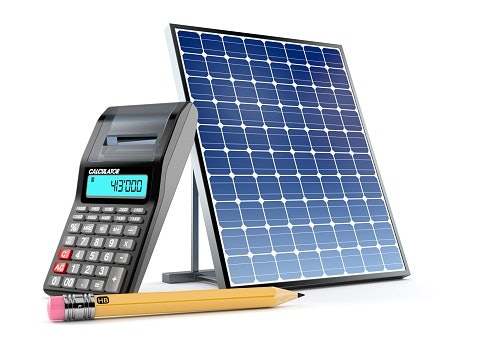
Certain calculators are fixed with solar cells for an alternate source of energy apart from the battery power. There are small cells placed near the display of the calculator.
Since the calculator requires minuscule power to function, these solar cells provide sufficient energy for function. When buying a calculator, you can check under the specifications or the calculator's image on the box, around the display, whether it has solar cells or not.
Solar panels help extend the life of the calculator by slowly recharging the original battery. Solar cells generally work well with natural sunlight. Because artificial sources of light such as incandescent and fluorescent bulbs mimic the sun’s spectrum, solar cells can also work indoors, powering small devices such as calculators.
You can recharge a battery-powered calculator by leaving it in a bright location but out of direct sunlight. Clean the panels occasionally to keep them working well. Dust, dirt, and oils from your fingers can cause a significant amount of refraction, causing the solar energy to be lost.
Check for Any Warranty Available
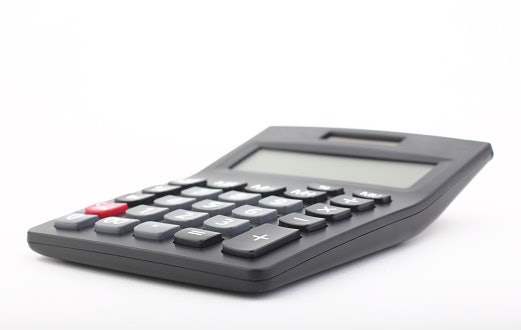
These days many manufacturers offer a warranty on their products for better support in a product malfunction or manufacturing defect. Some calculators come without any warranty, and similarly, calculators with a warranty of up to 3 years.
We recommend getting one with a warranty and checking thoroughly on the product box or e-commerce website for an available warranty. It helps in availing good value of the money spent on product, in case things go wrong.
Most modern calculators will offer you a 3-year warranty that is economical for college-going students who don't have to buy another calculator during their time in college in case anything goes wrong. Some calculators offer a 1-year warranty which is also not a bad deal. But avoid calculators which offer no warranty at all.
10 Best Calculators in India
| Products | Image | Click to purchase | Popularity | |
|---|---|---|---|---|
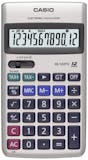
1 | HL-122TV Silver Basic Calculator Casio |  | No.1 | |
2 | FX-CG50 Scientific Graphic Calculator Casio |  | No.2 | |
3 | BA II Plus Financial Calculator Texas Instruments |  | No.3 | |
4 | FX-991EX Classwiz Scientific Calculator Casio |  | No.4 | |
5 | OT 1700T Orpat |  | No.5 | |
6 | BL-555M Bambalio |  | No.6 | |
7 | LS-555H Canon |  | No.7 | |
8 | HL820LV Portable Calculator Casio |  | No.8 | |
9 | Desktop CT500 JS Citizen |  | No.9 | |
10 | OT-512T Orpat |  | No.10 |


It has additional keys such as the Grand Total key and the tax function keys. Therefore, it can also perform more complex actions as well. Since it is not limited to basic functions, it is a suitable option for students and basic finance operations.
Casio FX-CG50 Scientific Graphic Calculator

This calculator is a beast amongst scientific calculators available. It is one of our top recommended choices for calculators. The calculator comes with more than 2900 functions, advanced 3d Graphing. There are apps already present for research and modeling.
One of the major advantages is, Apps for use can be transferred to the calculator using a USB cable. The calculator comes with a hard case for sturdy grip and safety. The calculator is recommended for students appearing for IB, SAT, ACT, PSAT.
Texas Instruments BA II Plus Financial Calculator
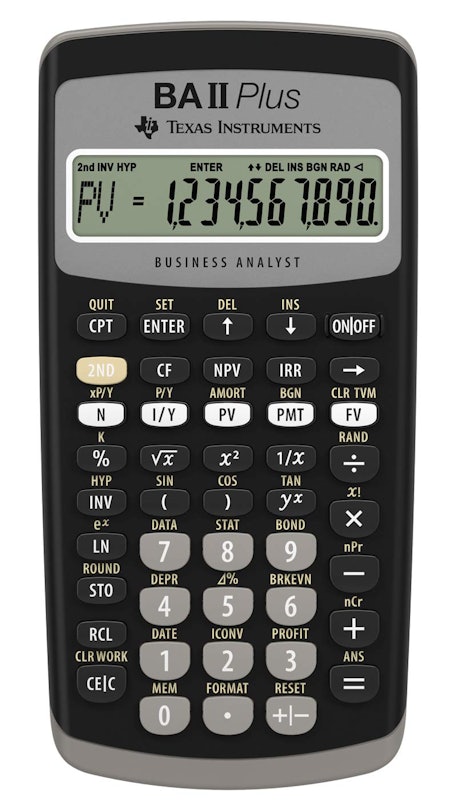
This calculator by texas instruments is a considerable choice for users looking for accurate and fast financial workings. It has a 10 character display with clear and sharp text. Many CFA users recommend the calculator as per their personal experience.
As per the reviews, it takes a short amount of time to get accustomed to the user interface. The keys are soft press on the keypad. It comes with a protective sliding case for protection against accidental falls or shocks. Overall, it is a recommended product for financial calculations.
CasioFX-991EX Classwiz Scientific Calculator
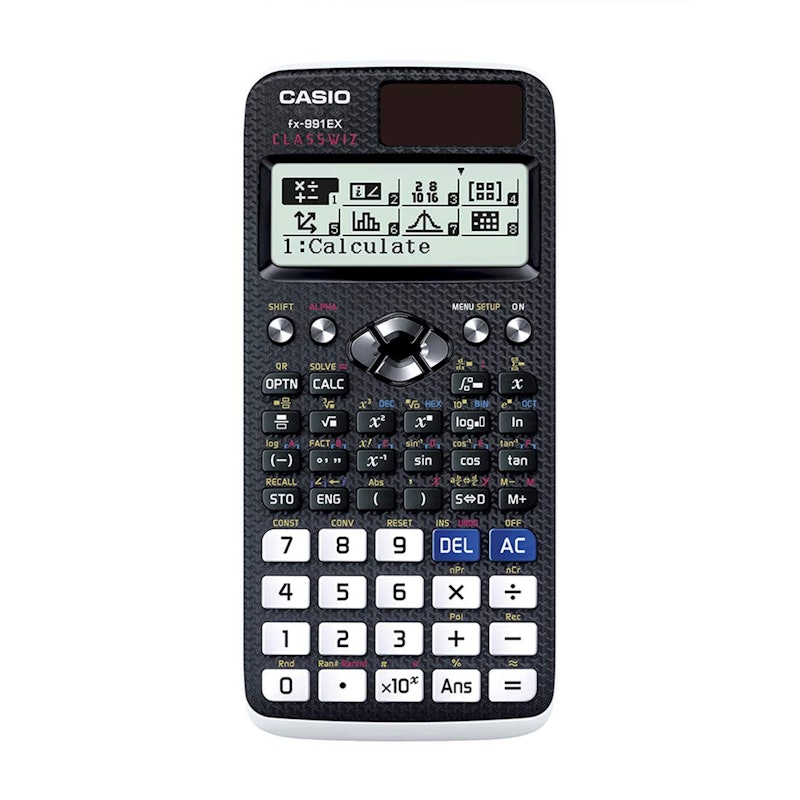
This scientific calculator by Casio stands out amongst other similar calculators available with its extensive 552 functions available. The dimensions of this calculator are only 18cms, making it a portable and compact choice for users.
One of the unique functions available in the calculator comes with an inbuilt QR code function, which can provide graphical equations on your smartphone after scanning the code. The keypad comes with metallic keys for sturdy input and useability. The product is recommended by engineering and maths students based on their user experience.

Since it can also perform tax functions, it could be used by those engaged in accounting and bookkeeping. However, due to its size, it would not be appropriate for those looking for portable options. This may also not last as long as it isn’t dual powered and cannot run on solar power.
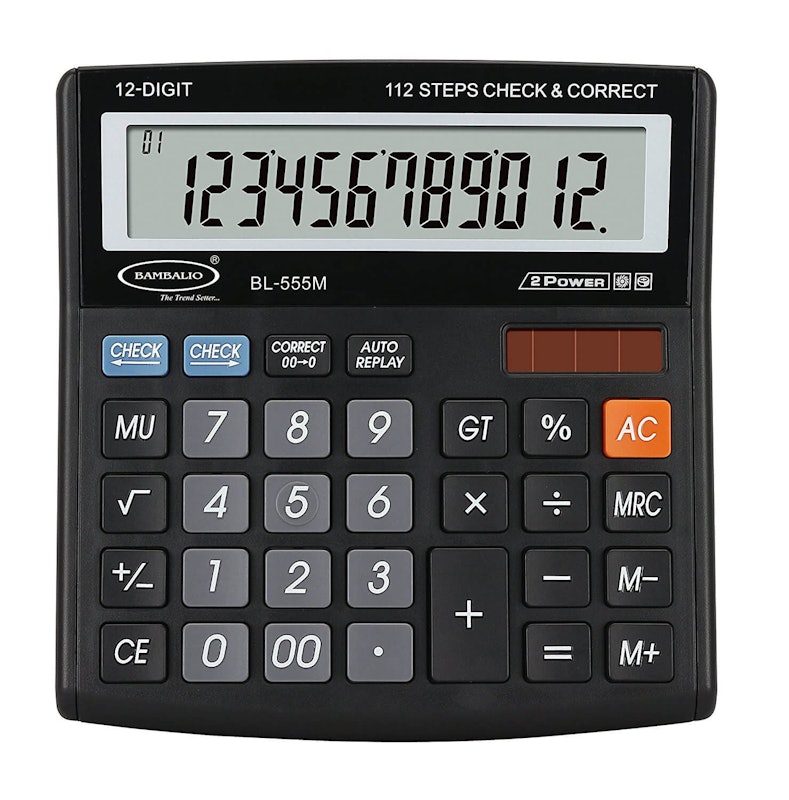
On the downside, though, it may seem quite expensive for a simple calculator that lacks any complex functions. It does not have any tax functions. It is an ideal choice for basic arithmetic operations.

However, a few downsides don’t have a large display; it can only show 8 digits, making it hard to deal with large numbers calculations. The calculator is ideal for basic arithmetic operations and not complex ones.
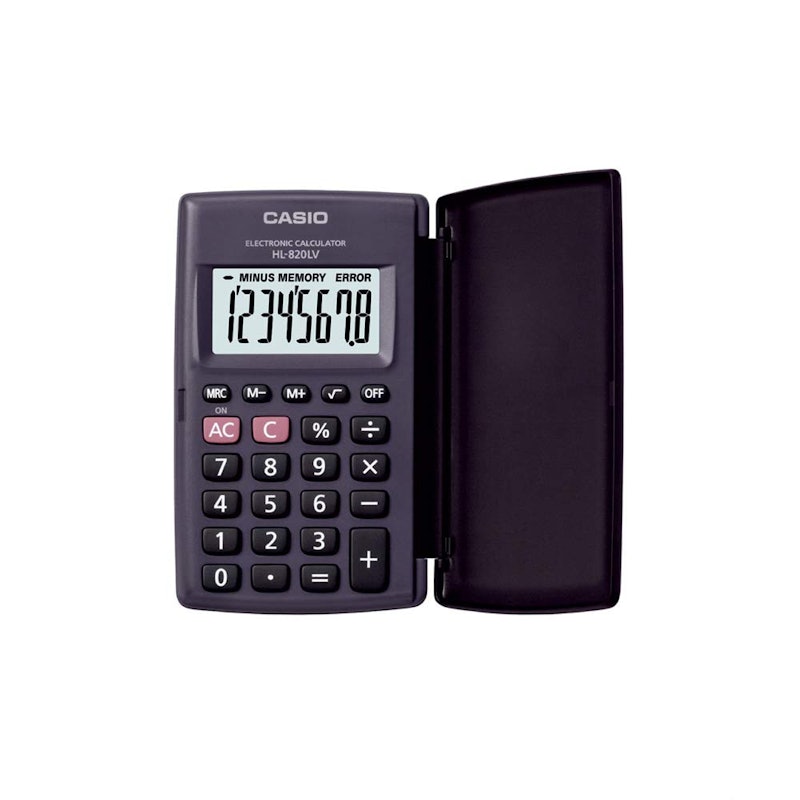
It also comes with a three-year warranty, so in case you damage it, you can always get it repaired. However, due to its size, it only has an eight digits display, and it isn’t dual-powered either, so it cannot run on solar power.
It may also seem harder to use for those used to plastic keys as this has soft, rubber keys. Lastly, if you require complex calculations, this will not suffice, and you should consider one of the other calculators we’ve mentioned.

On the downside, though, it does not have most of the features needed for financial calculations, such as the Grand Total key and the tax rate keys. Therefore, it would not be suitable for those who manage accounts, calculate taxes, or work with finance quite often. It may also seem quite expensive in comparison to other calculators, especially for simple calculations.
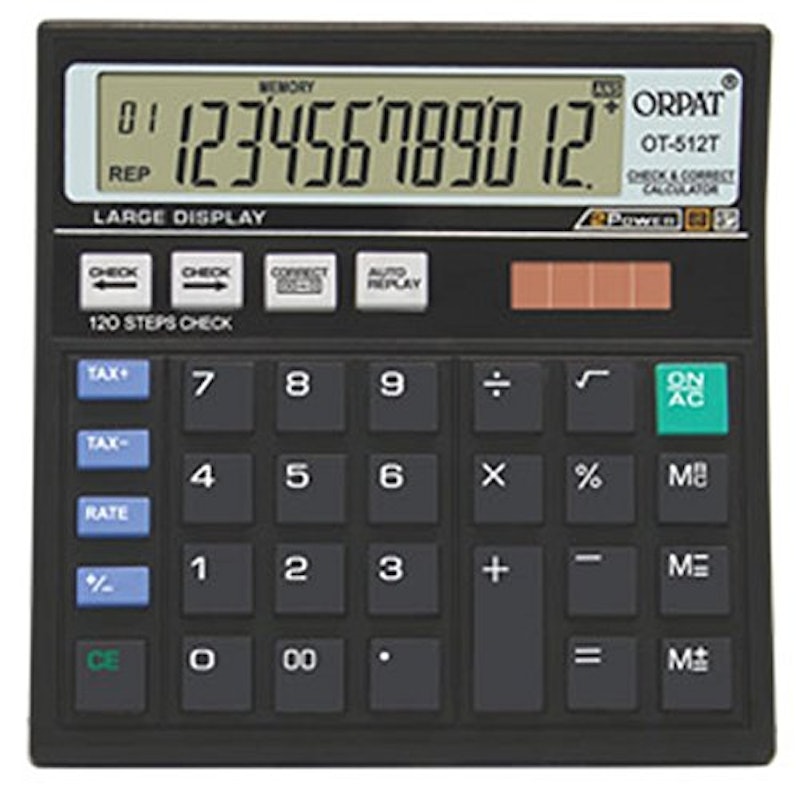
However, it lacks some of the features necessary for finance-related calculations, such as the Grand Total button. The keys are also on the softer side, making it hard to press them and slow down your work. If you do not like to compromise your work's speed, then this might not be the best option for you.
Pointers From Our Expert - Saksham Harjani

- The most important factor is recognising what you will be using your calculator for. For example, if you want your calculator to help with your business, then a printing calculator seems great, or if you are a science student, then a scientific calculator is the way to go. If you are thinking of buying a graphing calculator, please check with your college/school if those calculators are allowed in examinations.
- Scientific calculators usually have a couple of functions that can be accessed from the same key. Many of those calculators now have color-coded keypads to differentiate between secondary and tertiary functions. So, for example, you have yellow and red colour coding. Then all you would have to do is press a key to enable yellow functions or press the other key to enable red functions on that key. Also, try to look out for calculators with water-resistant printing on keys.
- You can test if the solar panels on your calculator are working fine by inserting a drained battery in your calculator and blocking the solar panel. This will result in a faded display and lag between inputting a number and its appearance on the screen. Now expose the solar panel to sunlight for some time and see if the display works well.
- The scientific calculator returns values in degrees as well as radians in the case of trigonometric equations. Make sure that your calculator isn’t in radian mode if you want your answers in degrees because this can throw off your equation and can give you an entirely different answer than the one you are looking for.
More Products to Know About

Suppose you're looking for something different like the Best PC games to play or a new printer for your home, or a completely different flowering plant for your home or balcony. We got different Buying guides with a plethora of information to help you select the right one for yourself.


Summary
The descriptions of each product are referenced from content available on manufacturer, brand, and e-commerce sites.